improvement
Guide for making improvements to existing ClaudeBar functionality using TDD. Use this skill when: (1) Enhancing existing features (not adding new ones) (2) Improving UX, performance, or code quality (3) User asks "improve X", "make Y better", or "enhance Z" (4) Small enhancements that don't require full architecture design For NEW features, use implement-feature skill instead.
Installation
Details
Usage
After installing, this skill will be available to your AI coding assistant.
Verify installation:
skills listSkill Instructions
name: improvement description: | Guide for making improvements to existing ClaudeBar functionality using TDD. Use this skill when: (1) Enhancing existing features (not adding new ones) (2) Improving UX, performance, or code quality (3) User asks "improve X", "make Y better", or "enhance Z" (4) Small enhancements that don't require full architecture design For NEW features, use implement-feature skill instead.
Improve ClaudeBar Feature
Make improvements to existing functionality using TDD and rich domain design.
When to Use This vs Other Skills
| Scenario | Skill to Use |
|---|---|
| Enhance existing behavior | improvement (this skill) |
| Fix broken behavior | fix-bug |
| Add new feature | implement-feature |
| Add new AI provider | add-provider |
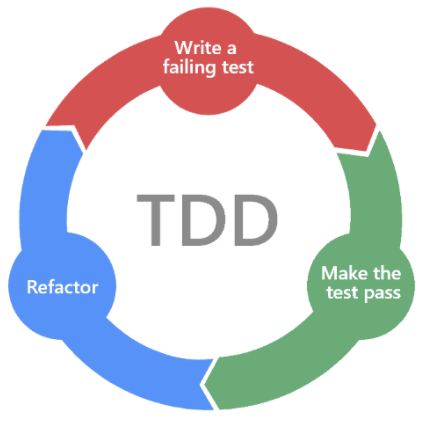
Workflow
┌─────────────────────────────────────────────────────────────┐
│  1. UNDERSTAND CURRENT STATE                                 │
├─────────────────────────────────────────────────────────────┤
│  • Read existing code                                        │
│  • Understand current behavior                               │
│  • Identify what to improve                                  │
└─────────────────────────────────────────────────────────────┘
                            │
                            ▼
┌─────────────────────────────────────────────────────────────┐
│  2. WRITE TEST FOR IMPROVED BEHAVIOR (Red)                   │
├─────────────────────────────────────────────────────────────┤
│  • Test describes the IMPROVED behavior                      │
│  • Test should FAIL initially                                │
│  • Keep existing tests passing                               │
└─────────────────────────────────────────────────────────────┘
                            │
                            ▼
┌─────────────────────────────────────────────────────────────┐
│  3. IMPLEMENT & VERIFY (Green)                               │
├─────────────────────────────────────────────────────────────┤
│  • Implement the improvement                                 │
│  • New test PASSES                                           │
│  • All existing tests still pass                             │
└─────────────────────────────────────────────────────────────┘
Types of Improvements
1. UX Improvements
Enhance user experience without changing core logic:
Examples:
- Settings view scrolls on small screens
- Better loading indicators
- Improved accessibility
- Cleaner visual layout
Test approach: UI behavior tests or manual verification
2. Domain Improvements
Enhance domain model behavior:
Examples:
- Add computed property for common queries
- Improve status calculation
- Add convenience methods
- Better encapsulation
Test approach: State-based domain tests
@Test func `model provides convenient access to lowest quota`() {
    // Given
    let snapshot = UsageSnapshot(quotas: [quota1, quota2, quota3])

    // Then - new convenience property
    #expect(snapshot.lowestQuota == quota2)
}
3. Infrastructure Improvements
Enhance probes, storage, or adapters:
Examples:
- Better error messages
- More robust parsing
- Improved timeout handling
- Caching support
Test approach: Behavior tests with mocked dependencies
4. Performance Improvements
Optimize existing functionality:
Examples:
- Reduce redundant API calls
- Lazy loading
- Parallel execution
- Caching
Test approach: Behavior tests (same results, better performance)
TDD Pattern (Chicago School)
Write Test for Improved Behavior
@Suite
struct {Component}Tests {

    @Test func `{describes improved behavior}`() {
        // Given - standard setup
        let component = Component(...)

        // When - action
        let result = component.improvedMethod()

        // Then - verify improved behavior
        #expect(result.hasImprovedProperty)
    }
}
Keep Existing Tests
Improvements should NOT break existing behavior:
# Run all tests to ensure no regressions
swift test
Architecture Reference
Full documentation: docs/ARCHITECTURE.md
| Layer | Location | Improvement Examples |
|---|---|---|
| Domain | Sources/Domain/ | New computed properties, convenience methods |
| Infrastructure | Sources/Infrastructure/ | Better parsing, error handling |
| App | Sources/App/ | UI enhancements, accessibility |
Guidelines
Do
- Keep changes focused and minimal
- Maintain existing behavior
- Add tests for new behavior
- Follow existing code patterns
- Update CHANGELOG
Don't
- Over-engineer simple improvements
- Change unrelated code
- Break existing tests
- Add features (use implement-feature)
- Skip tests for "small" changes
Checklist
- Current behavior understood
- Improvement scope defined (minimal)
- Test for improved behavior written
- Test FAILS before implementation
- Improvement implemented
- New test PASSES
- All existing tests still pass (
swift test) - CHANGELOG updated with improvement
More by tddworks
View allGuide for adding new AI providers to ClaudeBar using TDD patterns. Use this skill when: (1) Adding a new AI assistant provider (like Antigravity, Cursor, etc.) (2) Creating a usage probe for a CLI tool or local API (3) Following TDD to implement provider integration (4) User asks "how do I add a new provider" or "create a provider for X"
Guide for implementing features in ClaudeBar following architecture-first design, TDD, rich domain models, and Swift 6.2 patterns. Use this skill when: (1) Adding new functionality to the app (2) Creating domain models that follow user's mental model (3) Building SwiftUI views that consume domain models directly (4) User asks "how do I implement X" or "add feature Y" (5) Implementing any feature that spans Domain, Infrastructure, and App layers
Guide for fixing bugs in ClaudeBar following Chicago School TDD and rich domain design. Use this skill when: (1) User reports a bug or unexpected behavior (2) Fixing a defect in existing functionality (3) User asks "fix this bug" or "this doesn't work correctly" (4) Correcting behavior that violates the user's mental model
Guide for implementing features following architecture-first design, TDD, rich domain models, and Swift 6.2 patterns. Use this skill when: (1) Adding new functionality to a Swift app (2) Creating domain models that follow user's mental model (3) Building SwiftUI views that consume domain models directly (4) User asks "how do I implement X" or "add feature Y" (5) Implementing any feature that spans Domain, Infrastructure, and App layers